 Bookesto
The day desk
LiveThe screen your front desk actually lives on.
Today, the calendar, walk-ins and phone bookings, and your customer's history. One screen for each job, and each one reads the same booking your customers do.
No card needed. We set up each new venue with you, and pricing is agreed before anything is charged.
The problem with most calendars
Designed backwards from 7:40 PM on a Thursday
Owners do not complain that their booking software lacks features. They complain that at 7:40 PM on a Thursday, with a walk-in at the counter, a phone ringing and a client who says she moved her appointment, the software makes them do five things in four places.
The desk is designed backwards from that moment.
Today
LiveThe first screen is not a calendar
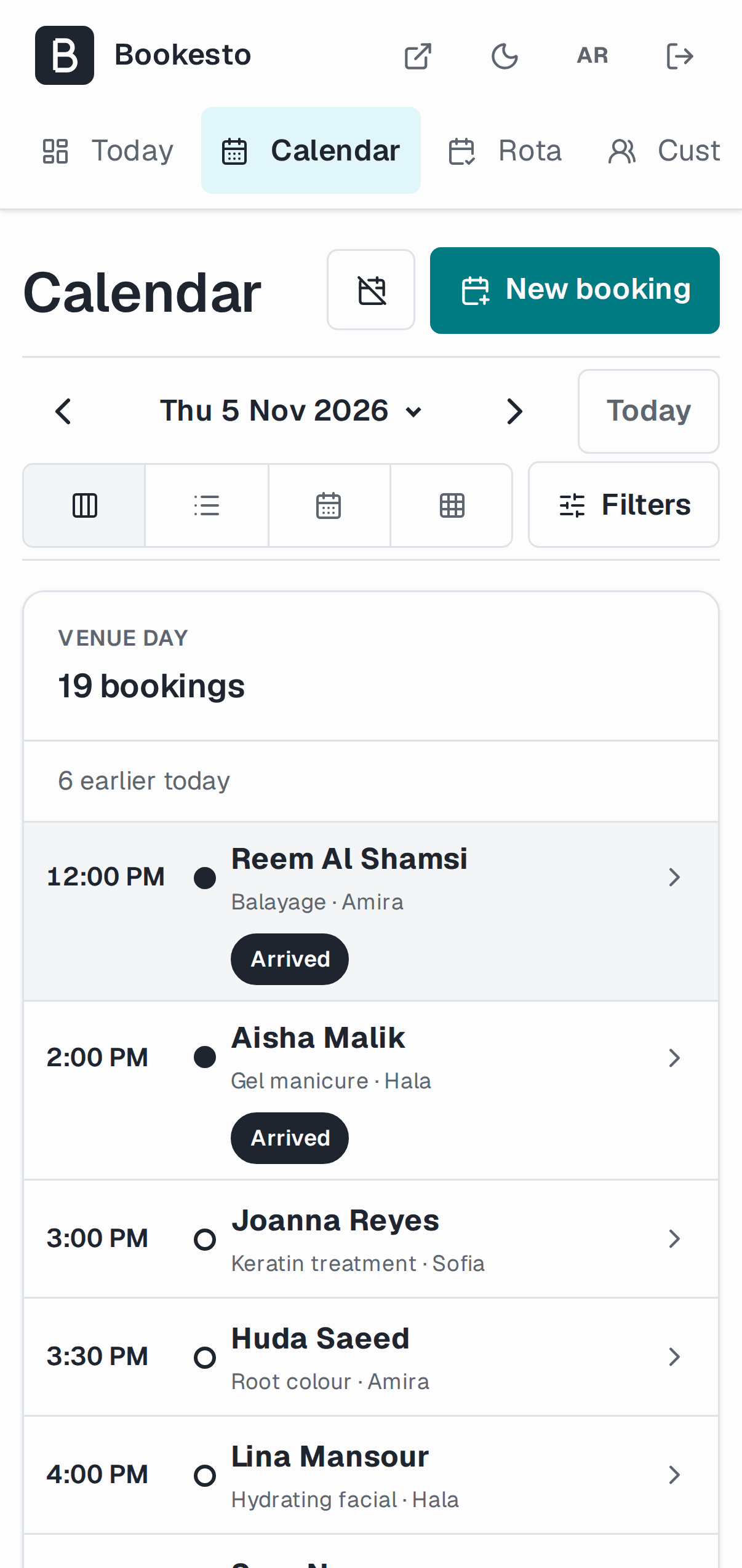
It is what is happening: who is coming and what needs you. From it you open a booking, move it, take one over the phone, or pull up a customer before they reach the counter. Mark who has arrived and who did not come.
You get an email when a booking arrives or is cancelled, so you do not have to keep looking. These emails start when our mail delivery is connected.
Calendar
LiveThe calendar
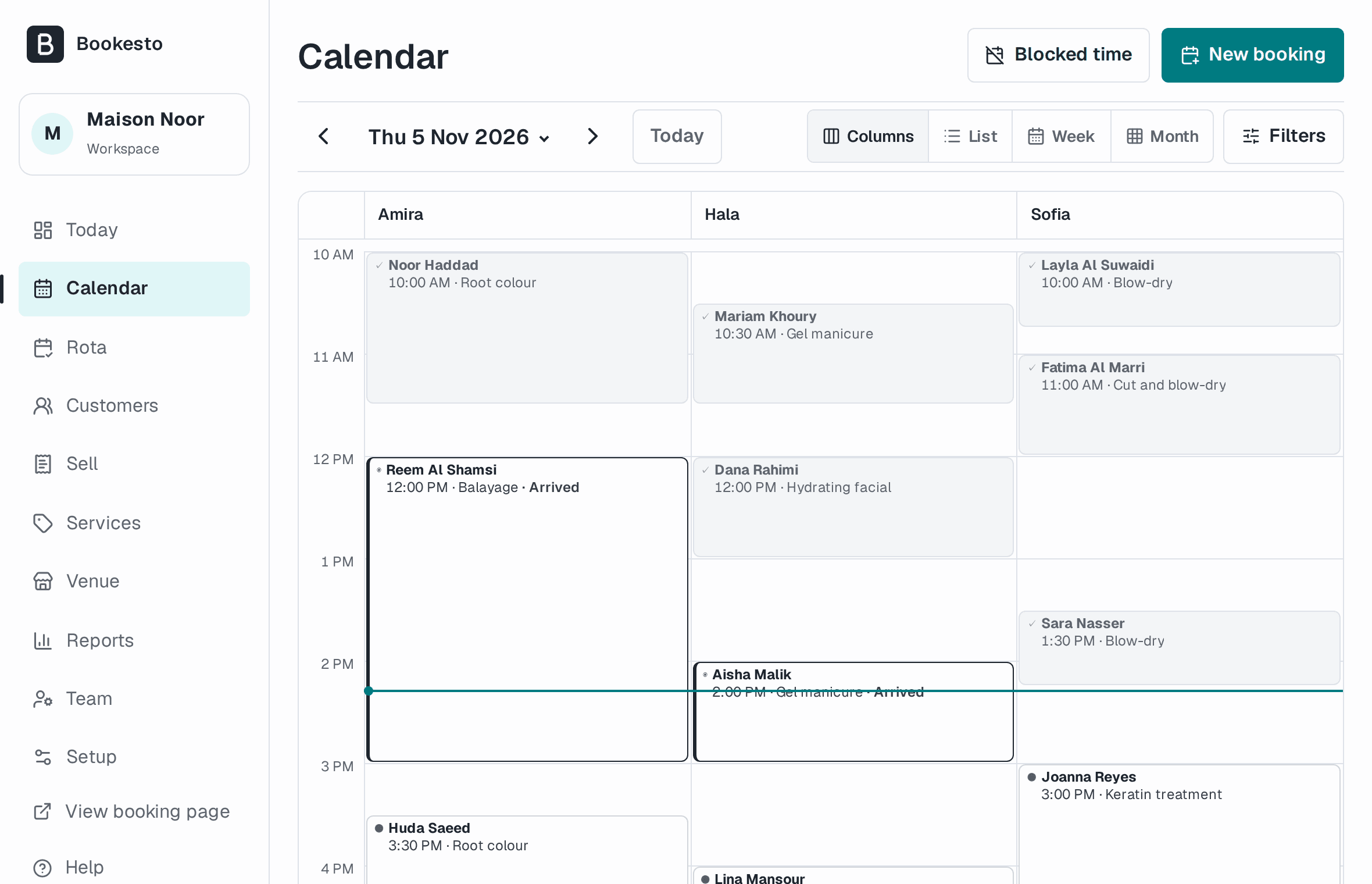
Day, week and month views, with your team side by side, and a list when you would rather read than look. Close for a public holiday by blocking the time. Status changes are on the booking, and the Activity report shows who changed what, so a disagreement about who moved what has an answer.
Walk-ins and the desk
In buildThe walk-in
Someone at the counter with no booking is the most common event in a salon or a barbershop, and most software treats it as an exception. Here it is a normal path. It checks the same times the public page would, so a desk booking and an online booking cannot both have the chair. A phone booking works the same way.
When they are done, take the payment at the desk and give a receipt: the service, a tip to a named person, a discount, VAT, and more than one way of paying if they split it.
Limit
Checkout records the payment you take at the desk. It does not charge a card online, because online card payments are not switched on yet.
Waitlist
In buildWhen someone cancels
You can see who is waiting and add someone by hand. Automatic offers are not finished.
Capability
In buildThe floor and the courts
A restaurant is not a list of bookings and neither is a padel club. You draw the room once, tables or courts or rooms or stations where they actually are, and the host view shows you that shape.
Limit
Restaurants are the least finished part. Covers, turn times, pacing and service periods are still coming, so the question a restaurant actually asks, can I seat six at 8 PM given what is already on the book, is not one Bookesto answers yet. If you run a busy service, it is not ready for you yet.
Capability
In buildClasses, courses and the rota
You can plan dated sessions from a template, each with a seat count. Customers cannot book them online yet.
A day off or a changed shift on the Rota changes the times customers can book on that date. A booking already made stays where it is, so move it yourself.
Limit
The sessions screen shows each session’s seats, and does not list who is coming, so there is no check-in yet. If you run a class or a departure, that matters, and we would rather you knew now.
Customers
In buildThe customer
The visits, the notes, the tags and the consent, on one record. Notes are where a stylist keeps a colour formula and a therapist keeps a contraindication, and finding them a year later is most of why a client stays with a business rather than a person.
Bring your client list across from a CSV. You match the columns and see a preview first.
Gift cards and packages of visits are sold and spent at the till, each on a receipt.LiveMemberships are in build.In build
Capability
In buildRequests that need your yes
Some bookings should not confirm themselves. A detailing job needs a look at the car, a venue hire needs a conversation, a treatment needs a consultation first. There is a queue where you accept or decline them. Customers have no form to send one yet, so nothing arrives in it.
End of the day
LiveThe close-out
The last job of the day is the one that decides whether you trust the software. What the day took, split by how people paid, and whether the cash drawer agrees with it.
Your reports sit beside it: occupancy, no-shows, cancellations, repeat bookings and revenue by service, with an export to a spreadsheet.
What the desk cannot do yet
Collected in one place, because scattering limitations through a page is how you hide them
- Online deposits
- Not switched on yet. Your customers pay at the venue until then
- WhatsApp messages
- Not switched on yet. Automatic messages are email only for now
- Confirmations, reminders and booking alerts start when our mail delivery is connected
- Working offline
- There is no offline mode. If your internet drops, use your phone on mobile data
- A phone app
- Bookesto runs in your browser. There is no native app and there are no push notifications
- Your bank
- The close-out does not tie to a bank payout yet
- Quotes and invoices
- Marking a quote as sent records it, and does not send a document
Get early access
We open accounts a few venues at a time, and we talk to each one. Tell us about your venue and we will write to you about access.
No card needed. We set up each new venue with you, and pricing is agreed before anything is charged.